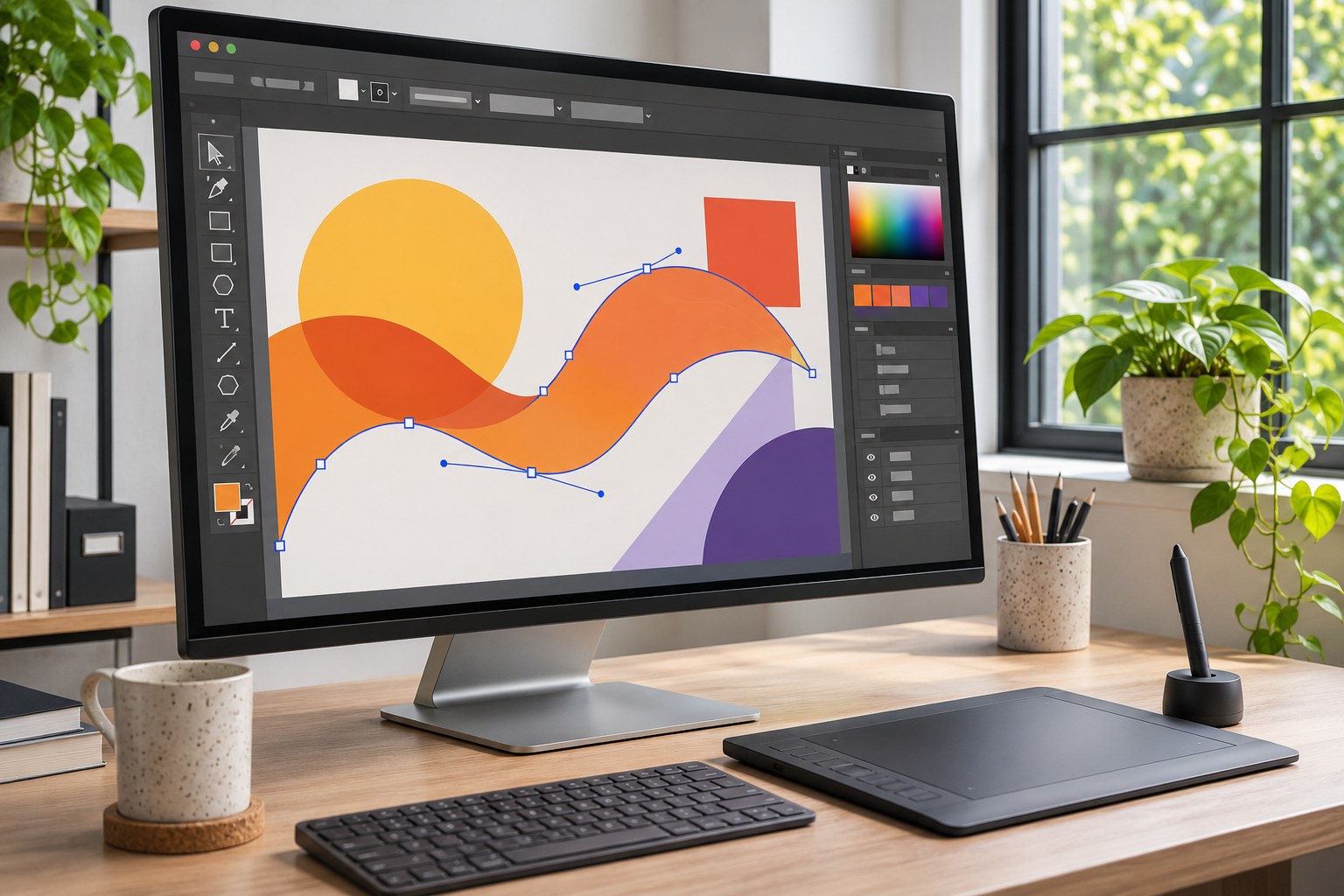
Adobe Photoshop is a raster editor for photo retouching, layered composites, digital painting and visual design. Layers and masks let you adjust an object, shadow or colour without rebuilding the whole image. Firefly speeds up some tasks; editable source files and precise control remain central to Photoshop.
For New Zealand buyers, compare the Photography and Photoshop plans by price, included apps and commitment. Adobe?s current NZ prices are listed below; they can change.
What is Adobe Photoshop used for?
Photoshop edits images at the pixel level. Photographers use it to retouch portraits, repair product photographs and combine exposures. Graphic designers use it for advertising visuals, social media assets, realistic packaging mock-ups and textured artwork. Illustrators work with brushes, pressure-sensitive pen tablets and custom colour palettes. E-commerce teams isolate products, clean up backgrounds and prepare consistent image sizes for online shops.
Its native PSD (Photoshop Document) format preserves a working design with layers, masks, text, effects and Smart Objects. A finished image can be exported separately for a website, presentation or print supplier. That distinction between the editable master and the delivered asset is central to a reliable Photoshop workflow.
Photoshop is not a replacement for every design tool. Adobe Illustrator is more suitable for scalable vector logos and intricate vector paths. Adobe InDesign handles long documents and multi-page layouts. Figma focuses on interface design and collaborative product prototypes. Photoshop can contribute imagery to all three workflows without being the best place to manage their final structure.
Who benefits most from Photoshop?
| User or project | Where Photoshop adds value | When another tool is a better fit |
|---|---|---|
| Professional photographer | High-end retouching, selections, image composites and local adjustments | Lightroom or Lightroom Classic for organising and processing a large shoot |
| Brand or agency designer | Campaign imagery, product mock-ups, textures and layered marketing artwork | Illustrator for a vector identity; InDesign for a catalogue |
| Small New Zealand retailer | Consistent product cut-outs, colour correction and marketplace images | Canva or Adobe Express for repetitive template-based posts |
| Digital illustrator | Brushes, blending, photo-bashing, masks and painted textures | Krita or Procreate when painting is the main task |
| Occasional photo editor | Detailed fixes beyond one-click filters | Affinity, GIMP or Photopea when a recurring subscription is hard to justify |
The practical dividing line is whether work demands precise, repeatable editing of complex images . Cropping a few photos each month rarely warrants the same software budget and learning time as producing client-approved composites with editable revisions.
The core Photoshop tools that shape professional work
Layers, masks and Smart Objects
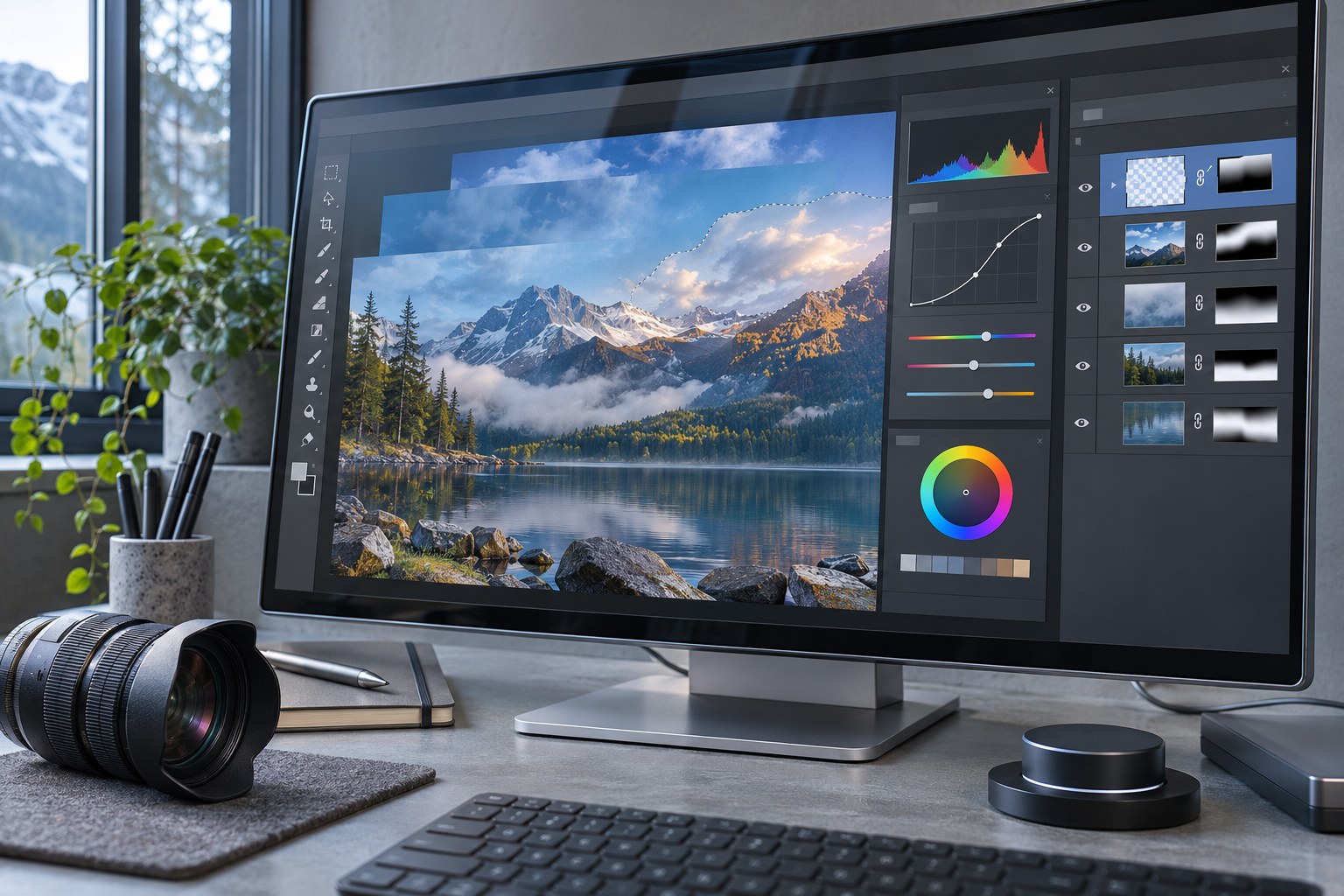
The Layers panel separates a composition into standalone elements. Layer masks reveal or conceal areas without deleting the underlying pixels; clipping masks confine artwork or adjustments to another layer. Blend modes control how layers interact, making them useful for lighting, texture and colour effects. A Smart Object can hold an image or placed graphic so transformations and compatible Smart Filters remain editable.
Non-destructive work matters when a client changes the background colour after approving the product placement. A masked object and an adjustment layer can be revised without repeating the cut-out. Flattening the source too early removes that flexibility.
Selections, retouching and colour
Object Selection , Select Subject and Select and Mask help separate people, products and detailed edges. Difficult hair, translucent materials, motion blur and reflective packaging still require inspection at full resolution. The Remove Tool , Spot Healing Brush , Healing Brush , Clone Stamp and Patch Tool address blemishes and distractions in different ways. Content-Aware Fill can reconstruct missing regions using surrounding image information.
Curves , Levels , Hue/Saturation , Vibrance and Colour Balance provide targeted tonal and colour control. The Clarity, Dehaze and Grain adjustment layers introduced to the regular Photoshop workflow in 2026 make those treatments maskable and adjustable without baking them into the original image. Dodge and Burn remain useful for local light shaping; a restrained result is usually more convincing than aggressive sharpening or skin smoothing.
Drawing, typography and layout elements
Brush presets and pen pressure support painting, while shape, Pen and text tools help build assets and variations. Check font licences and language coverage before handover. For te reo M?ori artwork, verify macrons in the chosen typeface.
Photoshop also supports Actions , batch processing, presets and plug-ins for repeated tasks. Automation works best after the team has standardised dimensions, colour profiles, filenames and quality checks; a poorly specified Action repeats mistakes just as efficiently as it repeats good edits.
Photoshop AI: what it speeds up and what still needs review
Photoshop combines traditional editing with Adobe Firefly-powered and selected partner-model features. Generative Fill adds, removes or replaces content within a selection using a prompt. Generative Expand extends a canvas beyond its original frame, while Generate Background creates alternative settings behind a subject. Generate Image develops a visual from a text description; Generate Similar offers further variations.
Harmonize adjusts lighting, shadows and colour so a placed element sits more naturally within a composite. Generative Upscale targets image enlargement and detail. Photoshop also offers reference-image controls, a model picker and newer AI-assisted editing experiences; access can differ by desktop, web or mobile version, subscription and beta status. The AI Assisted Editor and assistant-style workflows should not be treated as identical to every established desktop tool.
Inspect generated areas at 100% zoom. Check labels, brand marks, edges, shadows and product details against the source. For editorial or property images, distinguish retouching from creating scene content.
Generative credits vary by plan and operation. The listed single-app plan includes 25 monthly credits and Photography 1TB includes 1,000; unused credits do not roll over. Check current access and usage before planning frequent AI composites.
Adobe states that it does not train Firefly on Creative Cloud subscribers' personal content. Commercial use of Firefly outputs is supported subject to the applicable product terms and restrictions, while output legality, third-party rights, client permissions and the suitability of any partner model remain responsibilities for the project. Content Credentials can assist with provenance, but do not replace rights clearance or an honest record of material alterations.
Adobe Photoshop pricing in New Zealand
The prices below are Adobe's advertised individual-plan figures in NZD, including GST , checked in November 2026. They refer to annual plans billed monthly , not a fully flexible month-to-month agreement. Promotions, student or teacher eligibility, business licences and tax treatment can change the payable amount.
| Adobe plan | Advertised NZ price | Included software or scope | Decision point |
|---|---|---|---|
| Photography (1TB) | NZ$38.76/month incl. GST | Photoshop, Lightroom, Lightroom Classic and 1TB of cloud storage | Strong value for photographers and many Photoshop-only users |
| Photoshop single app | NZ$44.51/month incl. GST | Photoshop across supported platforms, Adobe Express Premium and 100GB of cloud storage | Relevant when the bundled Express features matter |
| Creative Cloud Pro | NZ$131.68/month incl. GST regular advertised rate | Photoshop and 20+ Creative Cloud applications, with a broader generative AI allowance | More appropriate for teams or individuals regularly using Illustrator, InDesign, Premiere and other apps |
A promotional Creative Cloud Pro first-year rate of NZ$98.69/month was also advertised for eligible new subscribers. That is not the normal ongoing rate. The Photography plan is NZ$5.75 per month below the Photoshop single-app listing, or NZ$69 across 12 months at unchanged rates. Its larger storage allowance and broader photography toolkit make the plan comparison less obvious than the product names suggest.
The subscription detail that changes the true cost
“Billed monthly” describes the payment schedule; it does not remove an annual commitment. Adobe's subscription and cancellation terms describe an initial refund window and possible early-termination charges on annual contracts. The applicable conditions depend on the plan, purchaser and contract. A seven-day trial or introductory offer also needs its own conversion and renewal dates checked before commitment.
For a freelancer, the meaningful comparison is annual cash cost against expected hours saved, the need to exchange layered PSD files with clients and the value of Lightroom or other bundled applications. A rare one-off edit is a different financial decision from daily client production.
Photoshop versus Lightroom, Illustrator and Adobe Express
Photoshop handles detailed retouching and composites; Lightroom manages photo libraries and repeated RAW edits. Camera Raw shares Lightroom?s processing engine but not its catalogue. A photographer can process a shoot in Lightroom, then retouch selected images in Photoshop.
Photoshop versus Illustrator: Photoshop's raster document is sensitive to output dimensions. Illustrator's vector artwork scales more naturally for logos, diagrams and brand symbols. A Photoshop mock-up can show how a vector identity looks on a building sign or packaging without becoming the master logo file.
Photoshop versus Canva and Adobe Express: Canva and Adobe Express are efficient for templates, social layouts and straightforward branded graphics. Photoshop provides deeper selections, layer control and image manipulation but requires more skill and setup time. A retailer producing weekly promotional posts may use both: Photoshop for clean product imagery, a template editor for fast, consistent publishing.
A reliable workflow from source image to finished asset
- Protect the original. Import a high-quality image, retain the camera RAW or source asset, and create a working PSD. For important colour work, preserve the available bit depth instead of repeatedly compressing JPEG files.
- Set the delivery requirements. Establish the final dimensions, crop, background transparency, colour profile and whether the destination is a website, marketplace, social platform or New Zealand print provider.
- Build editable changes. Use adjustment layers, masks, named layer groups and Smart Objects. Keep retouching on separate layers where that preserves a useful revision path.
- Inspect the real output. Review edges, text, reflections, skin textures and AI-generated regions at the intended display size and at 100% zoom. A convincing thumbnail can hide visibly poor detail.
- Export and retain the master. Supply the requested file format and keep the layered PSD, fonts, linked artwork and any required usage rights available for later revisions.
A New Zealand online store might maintain a layered master with the original product shot, colour adjustment, shadow and cut-out mask. The store receives an optimised web asset; the marketing team receives a different crop; the print supplier receives a file prepared to its specifications. All versions can originate from the same editable source instead of three standalone edits.
Choose Between PSD, PSB, JPEG, PNG, WebP and TIFF
| Format | Best role | What can go wrong |
|---|---|---|
| PSD | Layered master file and handover to another Photoshop editor | Large file size; recipients need compatible software and access to linked assets |
| PSB | Extremely large layered documents beyond standard PSD limits | Some handover systems or third-party apps have limited support |
| JPEG / JPG | Photographs for web, email and common delivery systems | Lossy compression; no ordinary transparency or editable layer stack |
| PNG | Transparent graphics, product cut-outs and sharp-edged assets | Often larger than a suitable photographic JPEG or WebP |
| WebP | Efficient web images with lossy or lossless options | Check the receiving content-management system and intended metadata |
| TIFF | High-quality image exchange and selected print workflows | Large files; settings must match the printer's requested specification |
| Review and certain print-delivery workflows | A Photoshop PDF is not automatically a production-ready multi-page layout |
Adobe documents a 2GB size limit for PSD and identifies PSB for larger files. Photoshop supports other formats including AVIF , HEIC/HEIF and OpenEXR , though compatibility and editing features differ by format. Saving a flattened export does not preserve all information in a layered master.
For screen delivery, sRGB is a common safe default unless a platform specifies another profile. Print work may require a particular CMYK profile, embedded ICC profile, bleed or resolution. The correct choice comes from the actual print provider's specification, not a universal “300 dpi and CMYK” rule. A soft proof can reveal colour shifts before an expensive run of brochures or packaging.
Desktop, web, iPad and mobile: the differences matter
The full desktop Photoshop application runs on supported Windows and macOS systems. Photoshop on the web , Photoshop on iPad and Photoshop on mobile extend editing to other devices, but their interfaces, tools and export options are not identical to the desktop workspace. Mobile versions offer accessible entry-level functions alongside subscription-linked premium features; the existence of a free mobile app does not make full desktop Photoshop free.
Creative Cloud , cloud documents and sharing or review features help teams exchange assets and comments. A local PSD is still useful when a project cannot depend on constant connectivity. Generative processing, online collaboration, account activation and some cloud functions require an internet connection. An individual Photoshop membership can be activated on two computers under Adobe's licensing rules, with simultaneous usage subject to the applicable licence.
Will Photoshop run well on an existing computer?
Adobe lists 8GB RAM as Photoshop 27.x minimum and 16GB or more as recommended. Large files and AI operations also need GPU capacity and scratch-disk space; a fast SSD and current graphics driver help.
A computer that meets minimum specifications may still struggle with a multi-gigabyte packaging composite. Before standardising Photoshop across a small studio, performance should be judged against representative project files, not merely whether the application launches. Users on Linux do not have an officially supported native desktop Photoshop edition.
Collaboration and handover without losing editable work
Design teams regularly move between Photoshop, Illustrator , InDesign , After Effects , Premiere Pro and cloud asset libraries. PSD layers can support a broader creative workflow, but cross-app compatibility is not the same as every effect remaining editable in every application. Linked Smart Objects, custom brushes, fonts and third-party plug-ins create dependencies that a simple exported image does not show.
A client handover should identify the approved output, editable master, colour profile, licences and required assets. Clear layer names make later edits easier. Keep local deliverables so work remains available if a subscription or shared storage ends.
Limitations, learning curve and the hidden cost of AI
Photoshop's large toolset creates a learning curve. Masks, colour modes, Smart Objects and export settings require more familiarity than one-click filters. The software can also feel heavy on older machines, especially when documents contain many high-resolution layers. User reviews on G2, TrustRadius and New Zealand software directories repeatedly raise subscription cost, performance and complexity alongside praise for precision and versatility.
AI does not eliminate that trade-off. A generative operation can save manual cloning time, then introduce new cleanup work through inaccurate geometry, inconsistent detail or altered product features. Partner models can carry different credit costs and usage considerations. For an agency producing paid campaigns, the cost of reviewing an inaccurate result may outweigh the time saved creating it.
Photoshop also remains an image editor rather than a dedicated digital asset management system, multi-page publisher or high-volume photography catalogue. Its value rises when it occupies the correct place in a toolchain rather than being forced to manage every creative task.
Photoshop alternatives: the best match depends on the job
| Alternative | Where it fits | Trade-off against Photoshop |
|---|---|---|
| Affinity by Canva | Free desktop photo editing, vector design and layout in a single application | Uses a Canva account; optional Canva AI tools require a premium plan, and Adobe-specific workflows need testing |
| GIMP | Free, open-source raster editing on Windows, Mac and Linux | Different interface and workflows; complex PSD compatibility requires verification |
| Photopea | Browser-based editing and frequent PSD interchange | A web workflow and feature set that differ from full desktop Photoshop |
| Krita | Illustration, custom brushes and tablet-based digital painting | Less oriented towards commercial photo-compositing pipelines |
| Procreate | Expressive drawing and illustration on iPad | Different platform focus and production workflow |
| Canva / Adobe Express | Templates, team-approved marketing content and social graphics | Less granular control over complex pixel-level composites |
| Capture One / DxO PhotoLab / Luminar Neo | Photography workflows, RAW processing or specialised photo enhancements | Not direct substitutes for every layered design and typography requirement |
Affinity's current core Pixel, Vector and Layout tools are advertised as free, while its Canva AI Studio integrations need a qualifying Canva premium subscription. That changes the budget comparison with older Affinity Photo 2 recommendations. A professional team should test interchange using its own PSD masters, fonts, adjustment layers and linked files before replacing a tool used across client projects.
Five Checks Before Choosing Photoshop
- Deliverable: Is the client asking for a layered PSD, an editable vector logo, a website graphic or a print-ready multipage document- The required output determines which application should own the master.
- Volume: Is the workload a handful of complex composites or hundreds of RAW photographs- Photoshop and Lightroom solve different bottlenecks.
- Cost: Compare the Photography, Photoshop and Creative Cloud Pro entitlements in NZD with GST and the actual contract term. Include the effect of introductory pricing and AI credit limits.
- Compatibility: Check operating system, RAM, GPU, SSD capacity, plug-ins, colour profiles and whether colleagues can open the supplied files.
- Risk: Set a policy for image rights, client confidentiality, AI-generated content, te reo Māori typography, print specifications and who approves material visual alterations.
Photoshop makes the most sense when exact image edits, revisable layers and established professional handover are recurring requirements. Its cost is harder to justify for occasional cropping, template-only advertising or work that should remain entirely vector-based. Choosing the correct Adobe plan can be a more immediate improvement than mastering another tool.
Adobe Photoshop FAQs
Is Adobe Photoshop free in New Zealand?
The full desktop application is subscription-based rather than permanently free. Adobe offers a trial on eligible plans, and Photoshop's mobile app has free functions with optional premium access. Terms for trials, billing and available features should be checked separately.
Can Photoshop open RAW camera images?
Yes. Supported camera RAW formats can be processed through Adobe Camera Raw before editing in Photoshop. Camera and file-format support should be checked for a particular device; a RAW workflow also benefits from sufficient storage and colour-managed export settings.
Can Photoshop save transparent images?
Yes. A masked subject or transparent background can be exported as PNG or another transparency-capable format. Standard JPEG exports do not preserve transparency. The layered PSD should be kept separately if the cut-out may need revising.
Can Photoshop be used without internet access?
Desktop editing of local files can continue offline once the software is installed and appropriately activated. Periodic subscription validation, Creative Cloud collaboration and online AI features still depend on connectivity.